Keep the thought.
Write and edit notes, preserve their sources, and build on what you already know.
 KG
Bring notes, people, and projects into one connected workspace.
A clearer picture today. A foundation for your agents tomorrow.
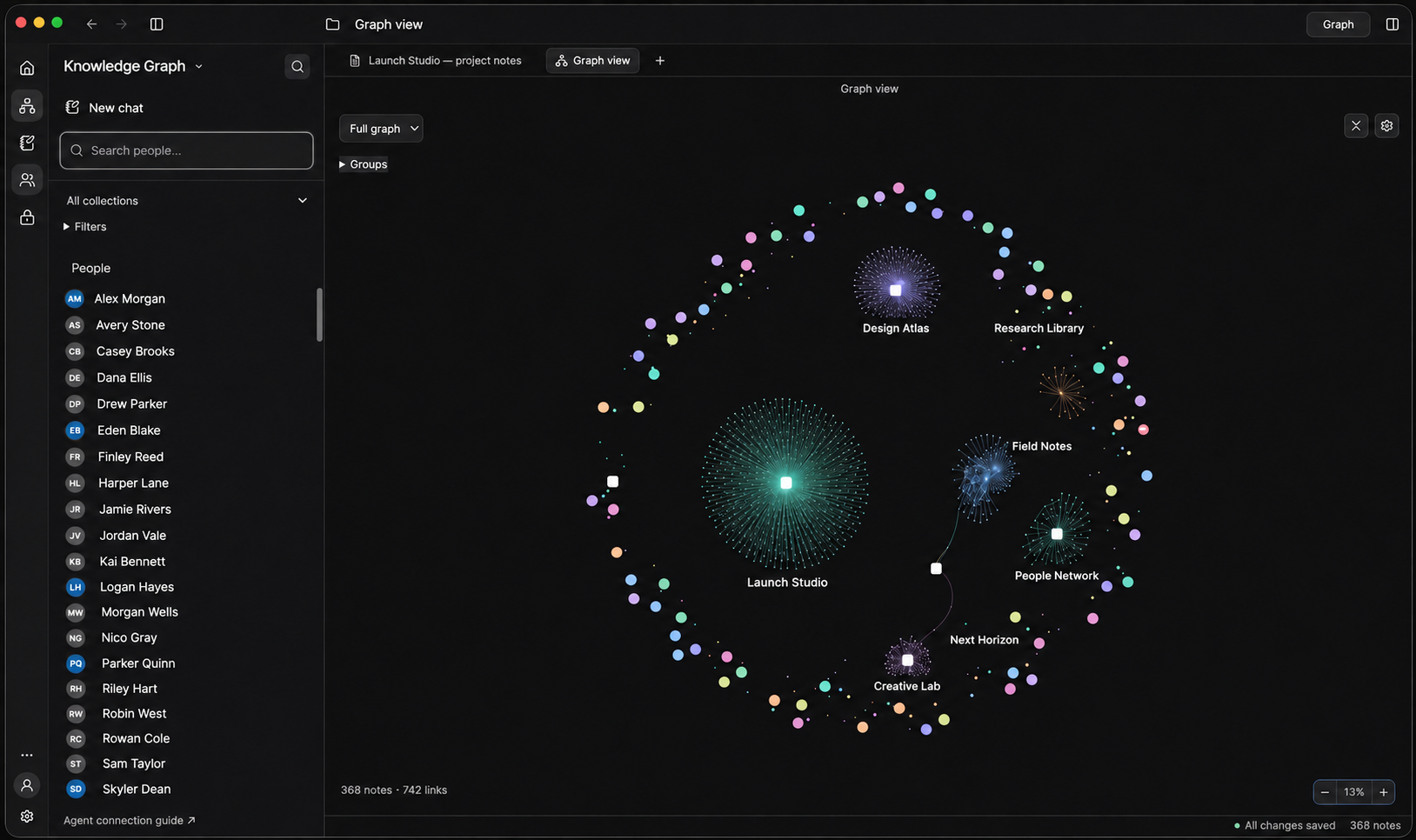
Your work has a story. Keep the notes, people, and decisions that tell it in the same place.
Write and edit notes, preserve their sources, and build on what you already know.
Move from a note to a person or project. See the context that a folder alone can’t show.
Connect compatible AI tools through MCP. Your desktop and tools use the same account.
We’re building the foundation for bots and agents that can work with your context. The knowledge workspace is available now; built-in agents and automations are planned.
Start with your knowledge ↗The desktop knowledge workspace: notes, contacts, projects, graph navigation, file attachments, and MCP access. Built-in bots and agents are planned.
Open the desktop app and choose “Sign in with your browser.” Log in on this website, check the account, and approve the desktop connection.
Your saved records, files, and account settings live on the server in your account’s own storage. The desktop app and MCP connect to that same account.
Accounts are currently created by the service administrator. Use your existing username and password to log in.
Make room for what you know — and what comes next.
Log in to your knowledge workspace.
Open the KG desktop app and choose “Sign in with your browser” to connect this account.
Need an account?
A secure sign-in. A space that’s yours.